Transcripts, made simple.
Every meeting, transcribed on your Mac. Transcriple records your calls and turns them into searchable text while you talk. No bot joins the meeting and no audio is uploaded. It understands Indonesian and English, even in the same sentence.
Free to try. Pro is a one-time purchase.
Everything stays on your Mac
Speech recognition runs on Apple silicon with Whisper. Your audio and transcripts are stored locally and nowhere else.
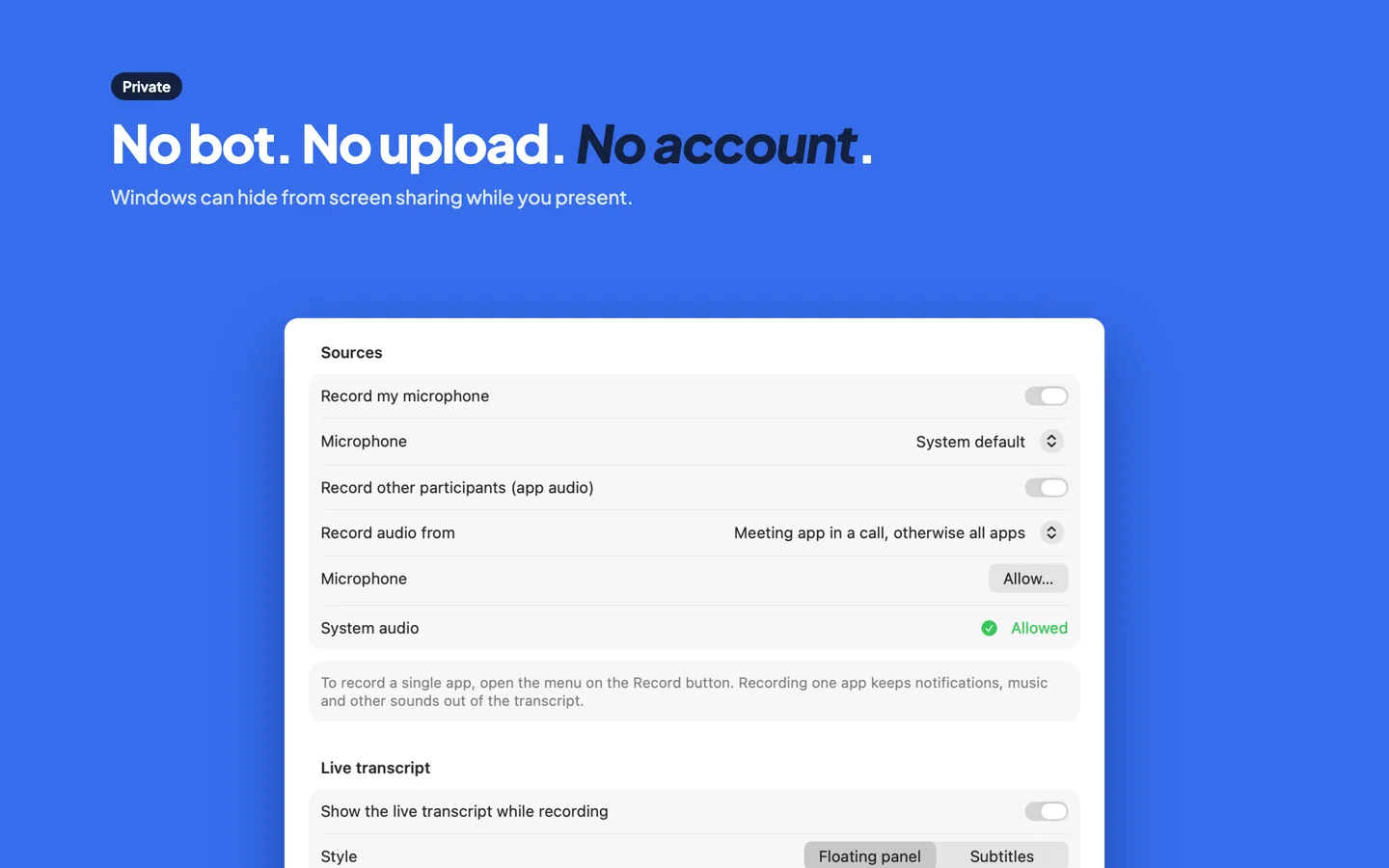
Record meetings without a bot
Captures your microphone and the meeting app's audio as two separate tracks. Works with Zoom, Google Meet, Teams, Discord, Slack, FaceTime, WhatsApp and more, and can notice when a meeting starts.
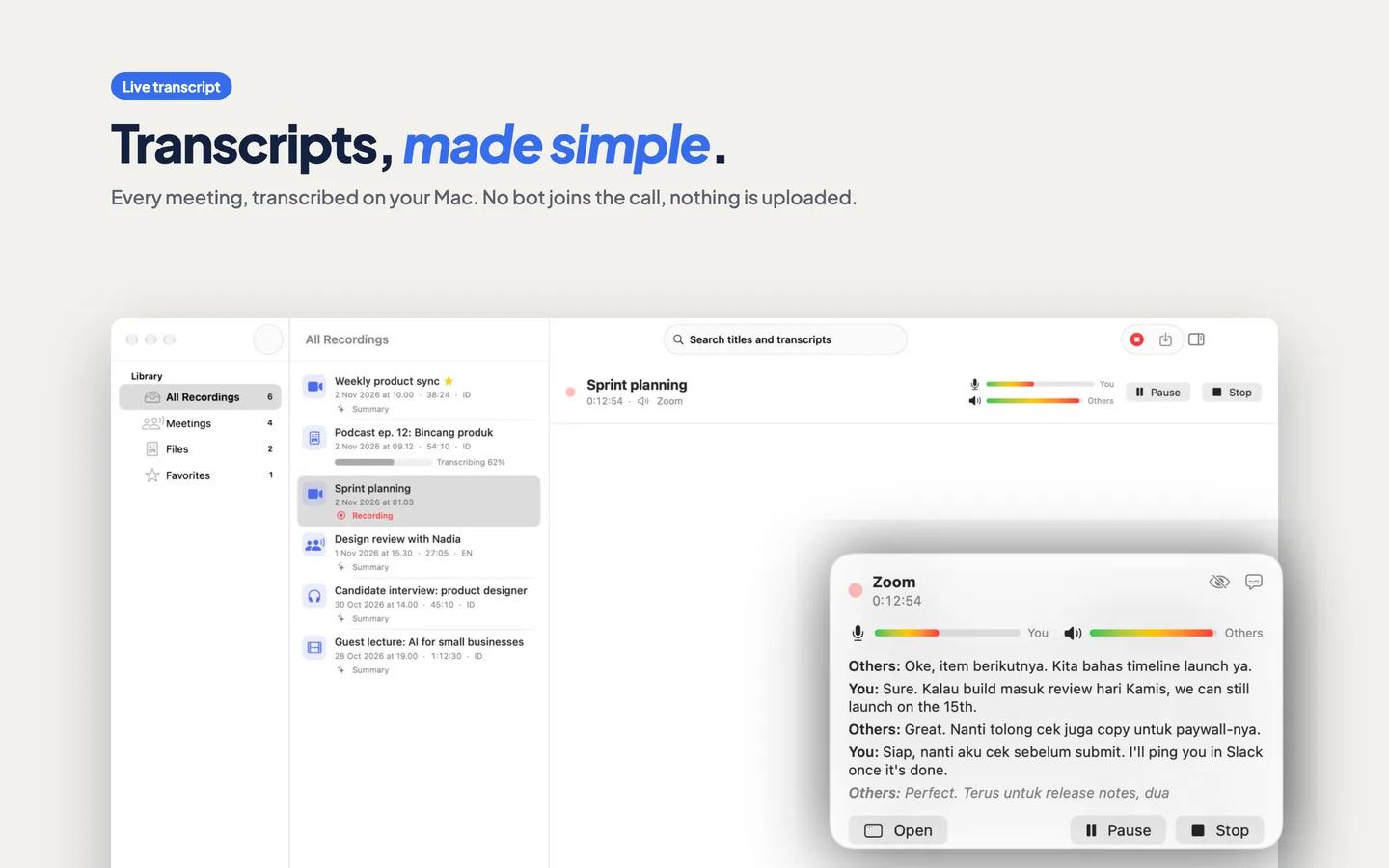
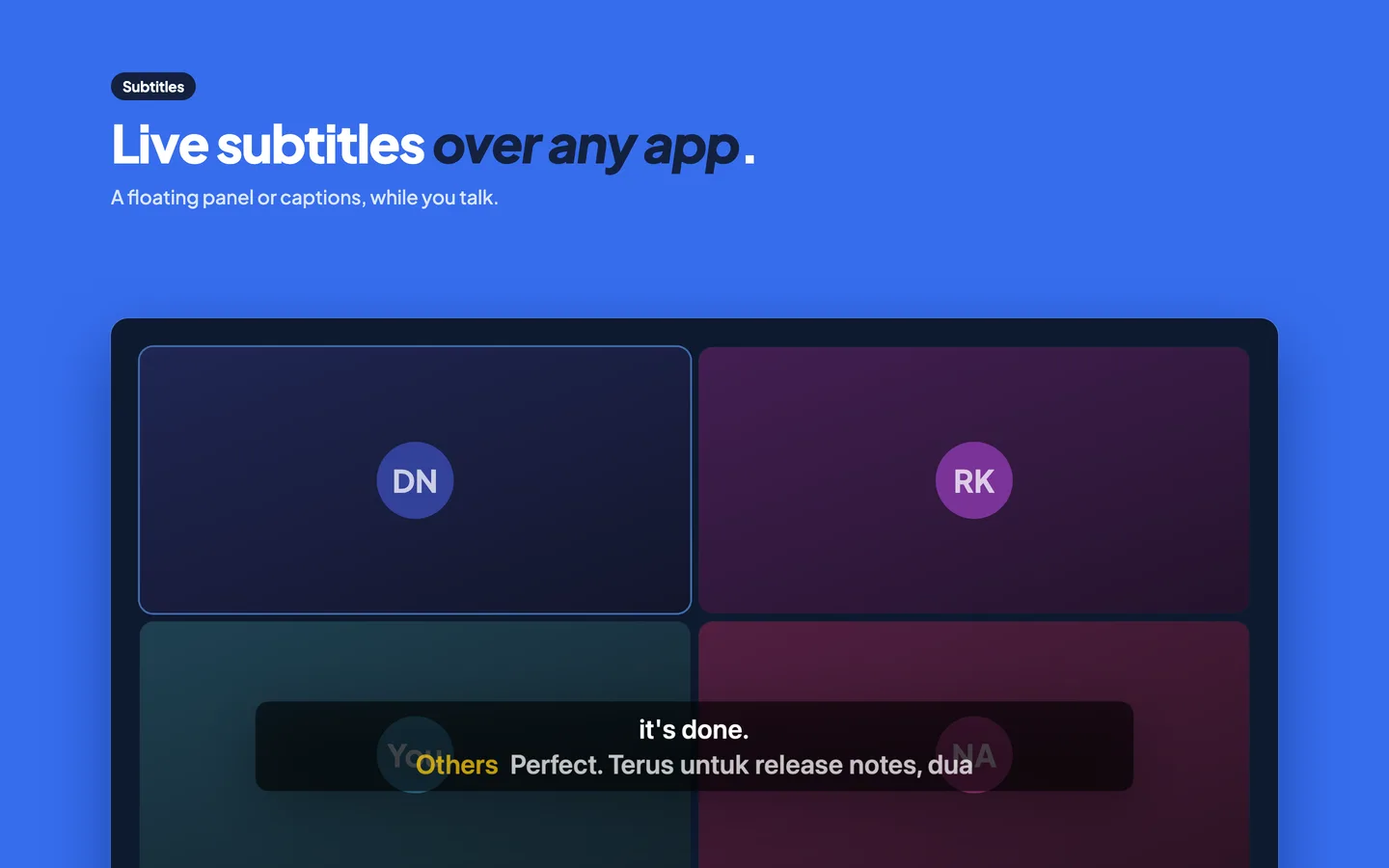
Live transcript and subtitles
Follow the conversation as it happens in a small floating panel or as subtitles over any app. After the call, a second pass cleans up the whole transcript.
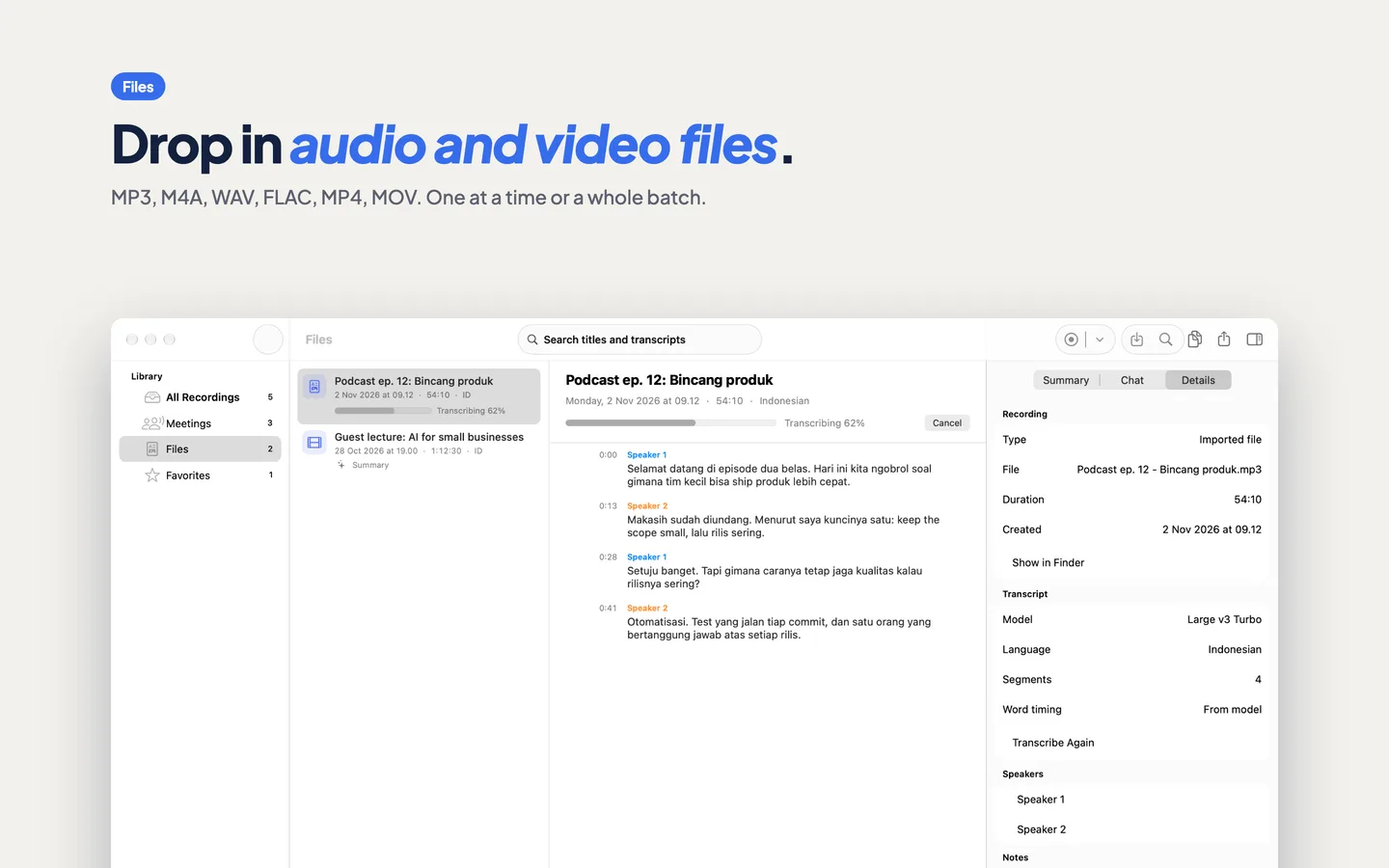
Transcribe audio and video files
Drop in MP3, M4A, WAV, AIFF, FLAC, MP4 or MOV files, one or a whole batch. Click any line to hear that moment.
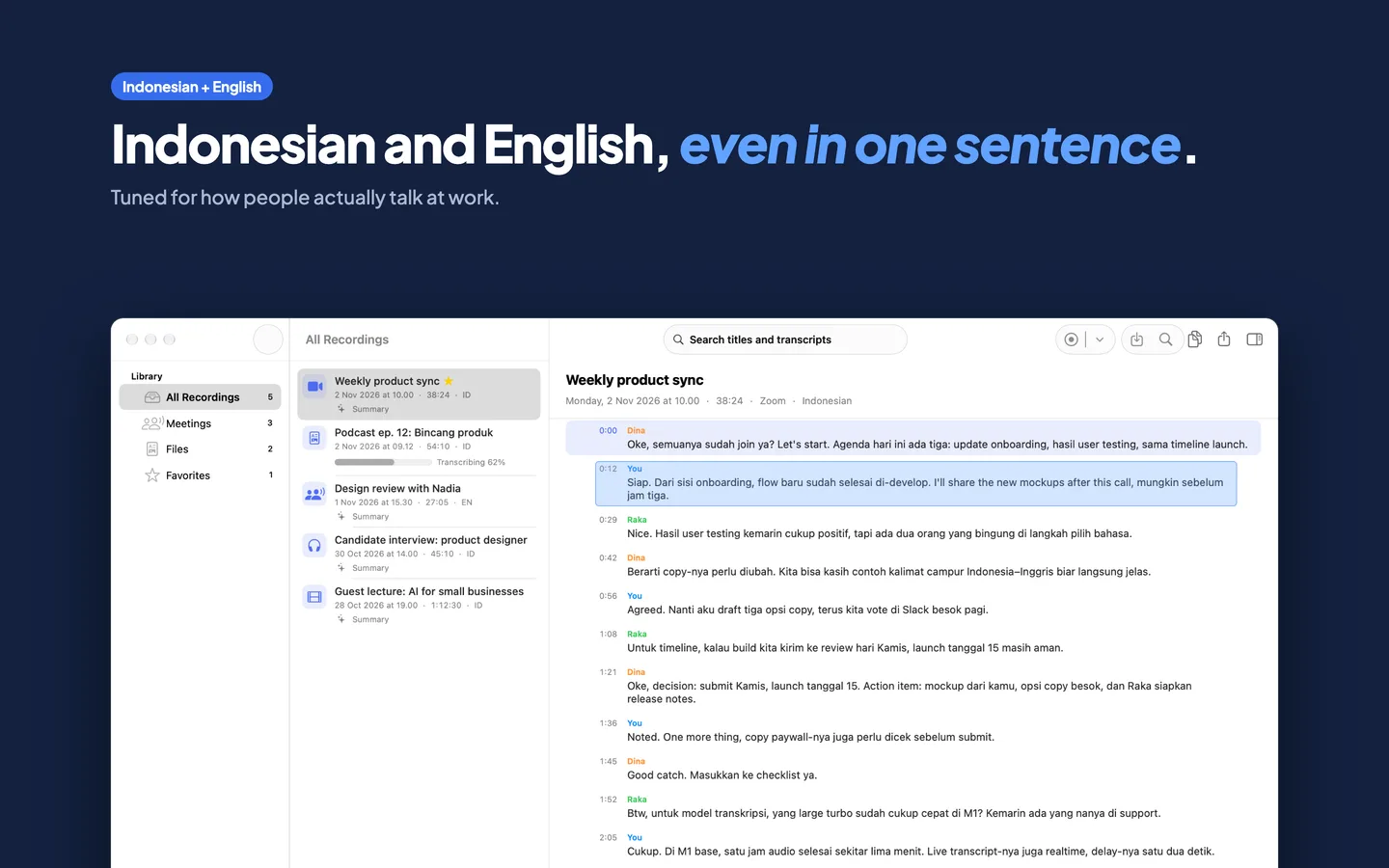
Indonesian and English, mixed
Tuned for how people in Indonesia actually talk at work, switching languages mid-sentence. Whisper models also cover close to a hundred other languages.
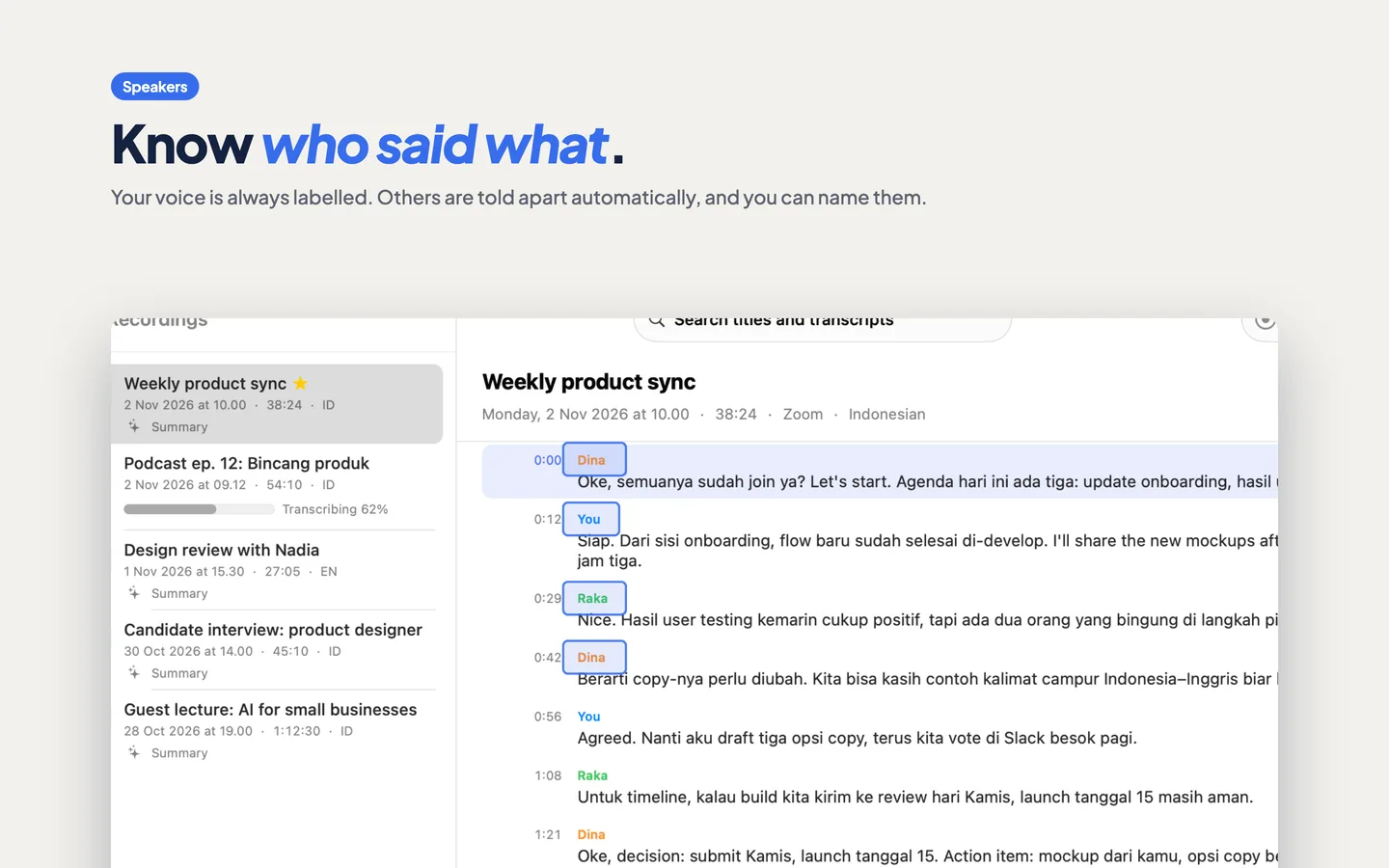
Who said what
Your own voice is always labelled. Other people in the call are told apart automatically, and you can rename them.
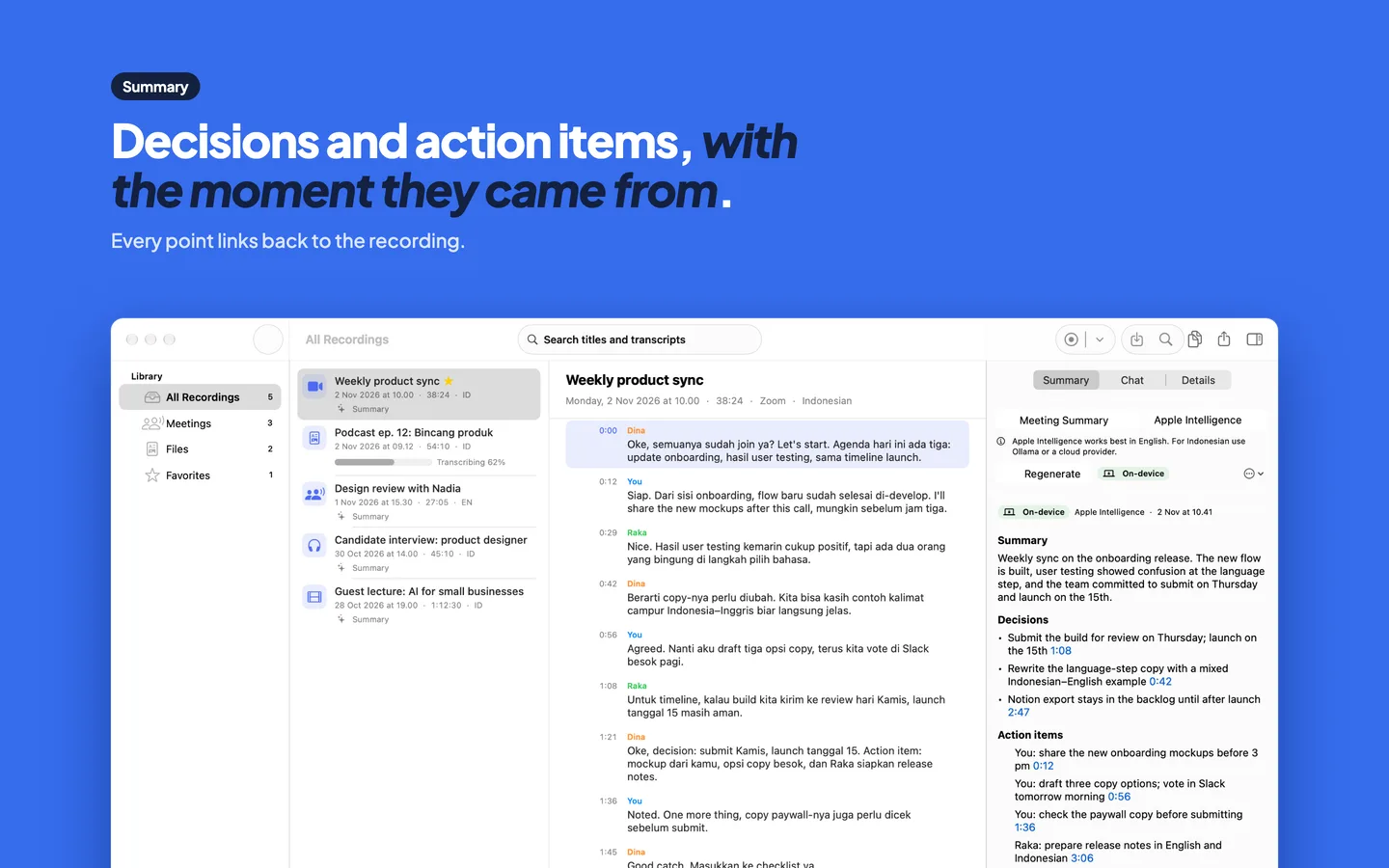
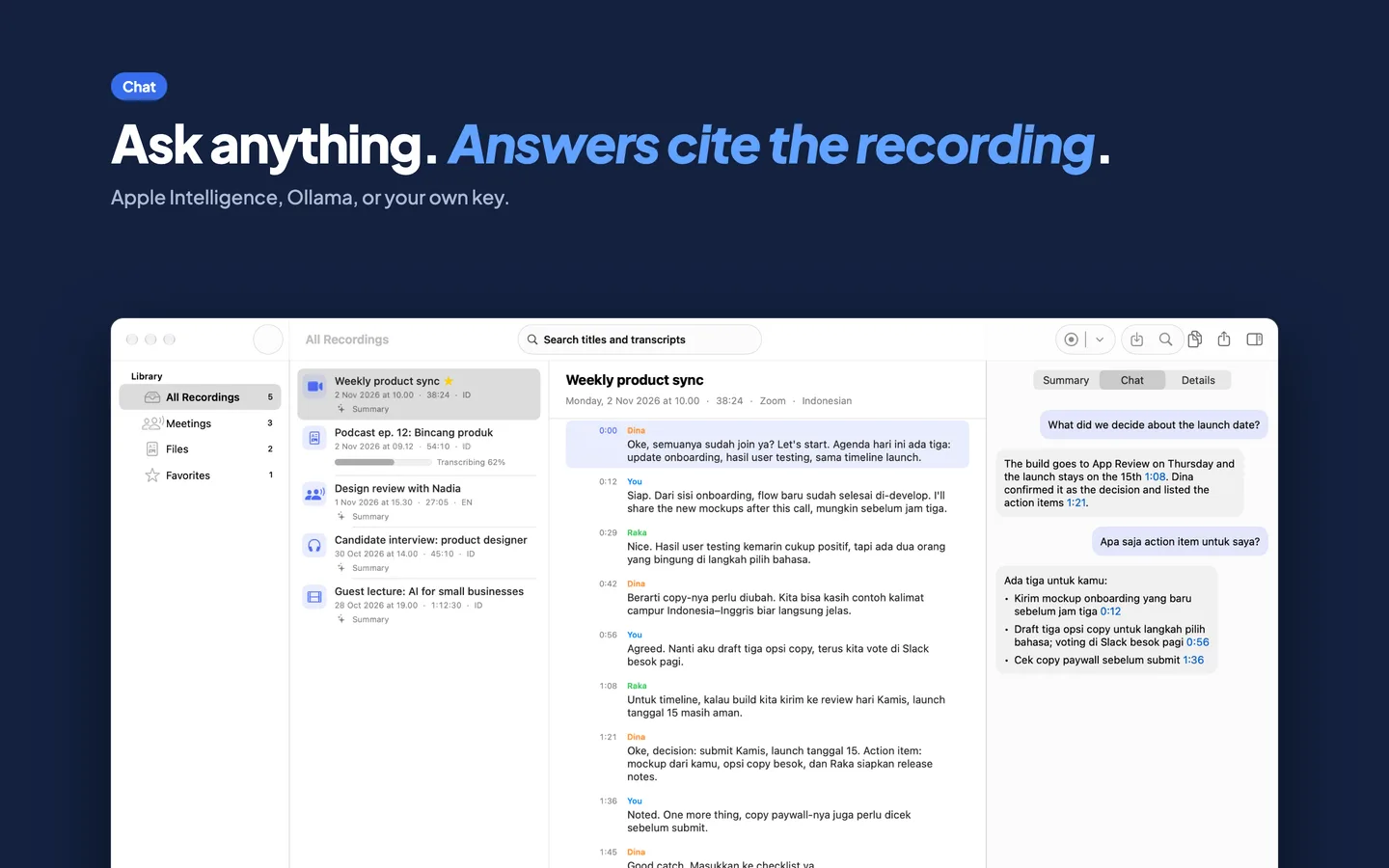
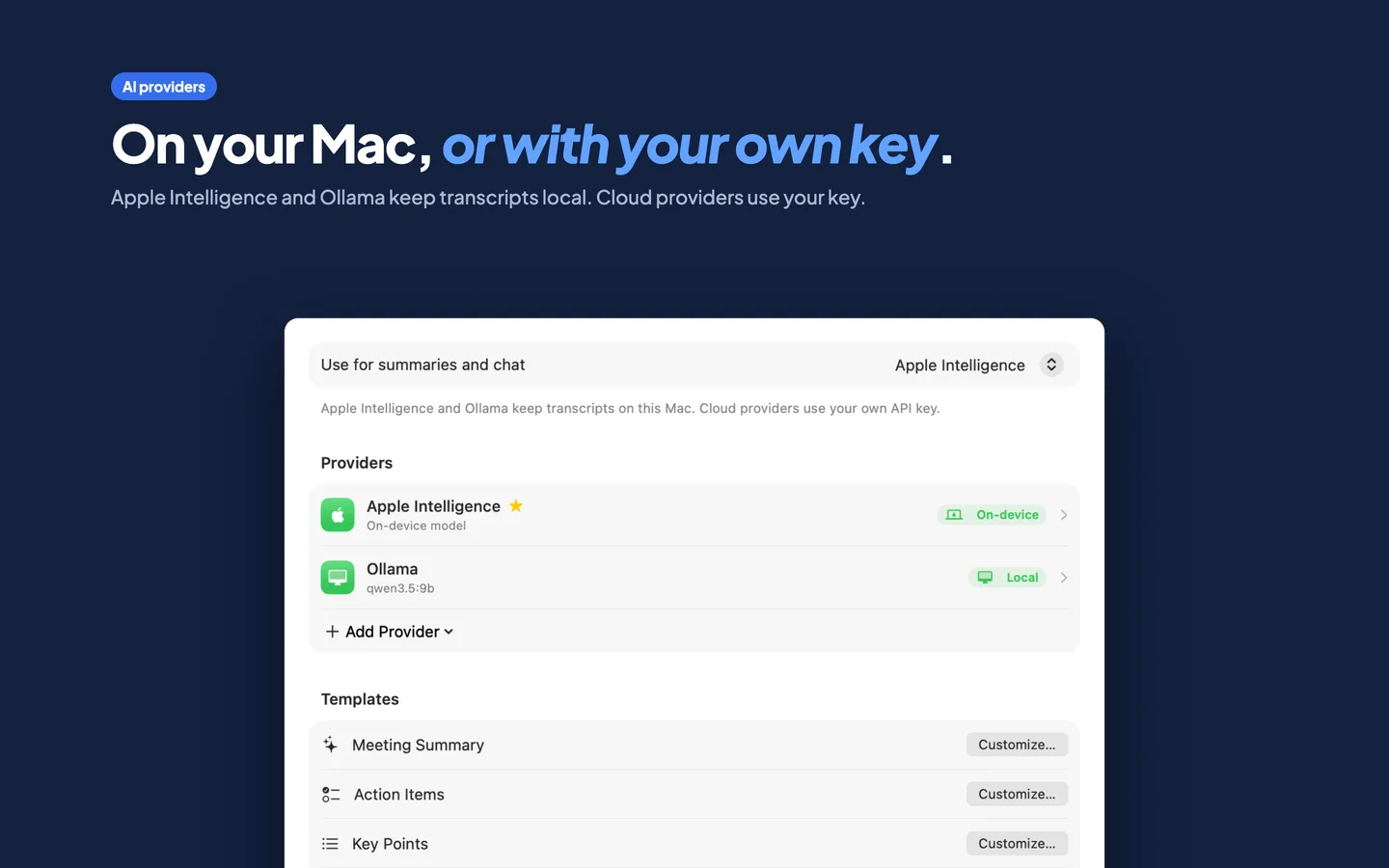
Summaries and chat
Get action items and decisions, or ask questions about the meeting. Every answer links back to the moment it came from. Use Apple Intelligence, Ollama or LM Studio on your Mac, or your own key for OpenAI, Anthropic, Gemini or OpenRouter.
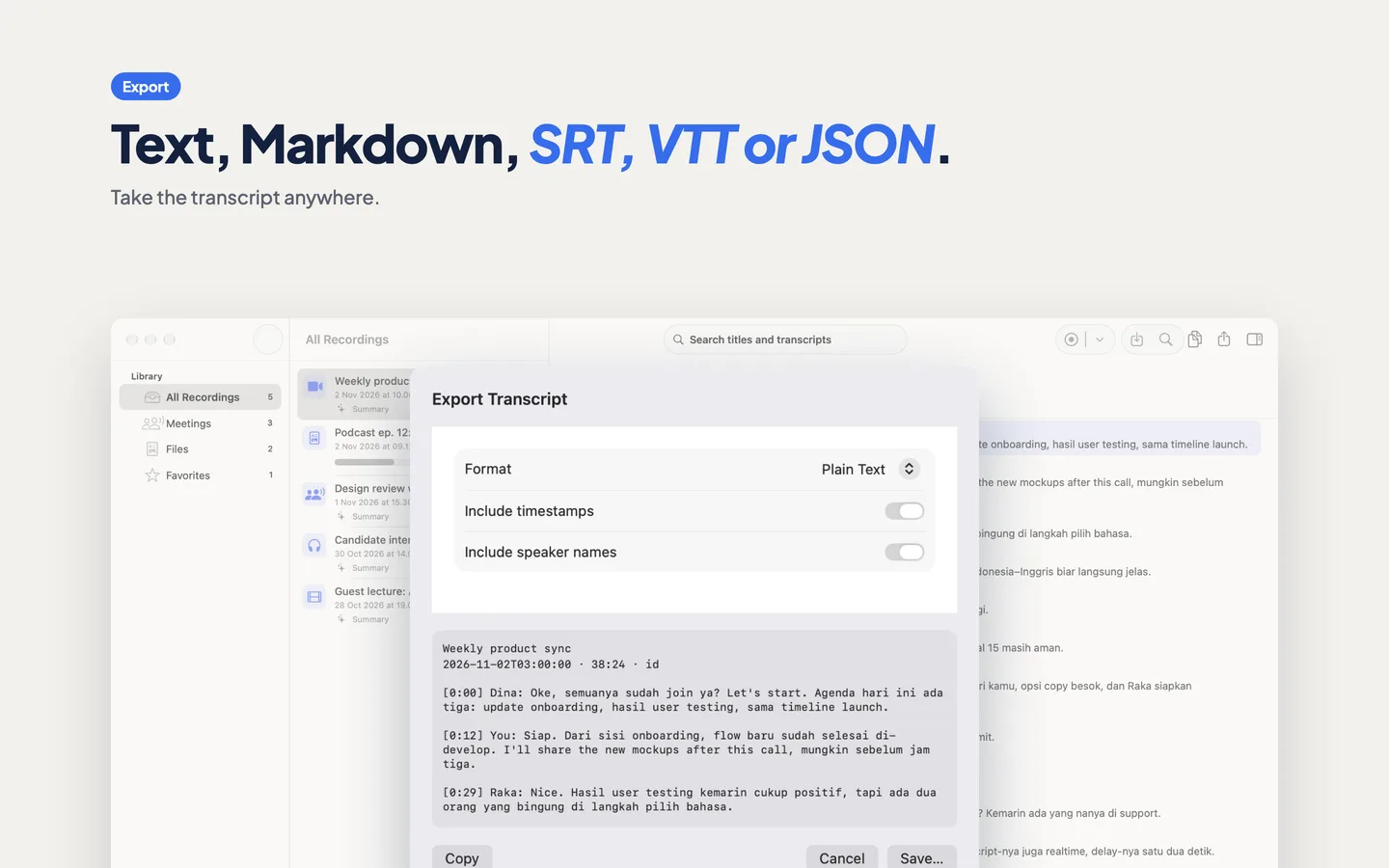
Export anywhere
Plain text, Markdown, SRT and VTT subtitles, or JSON with word-level timing.
Private by design
No account and no analytics. Cloud AI is off until you add your own key, and Transcriple asks before sending a transcript anywhere. Privacy policy
A closer look
Live transcript, mixed languages, speakers, summaries, chat and export, as they look in the app.
See it in action
Forty-four seconds, from the first recording to the exported transcript.
Pay once. Keep it.
Every feature works in the free version. Pro removes the time limit on transcripts.
Free
- All features, including summaries and export
- The first 30 minutes of each recording or file is transcribed
- Recordings are always kept in full, never cut
Transcriple Pro
- Transcripts of any length
- Recordings you already made are finished automatically after you upgrade
- All future updates included
- Restore on your other Macs with the same Apple Account
Prices vary by country and are set by the App Store.